Choose your content
Upload videos and organise them into playlists or collections. Use the library you already have.

MEET BEAMD PROGRAMMING
Mornings for one show. Evenings for another.
Turn your video library into a live channel with a week of shows, all broadcast from the cloud.
72 hours free. No credit card. Programming included in the trial, Pro and Business.
MORE THAN A PLAYLIST ON REPEAT
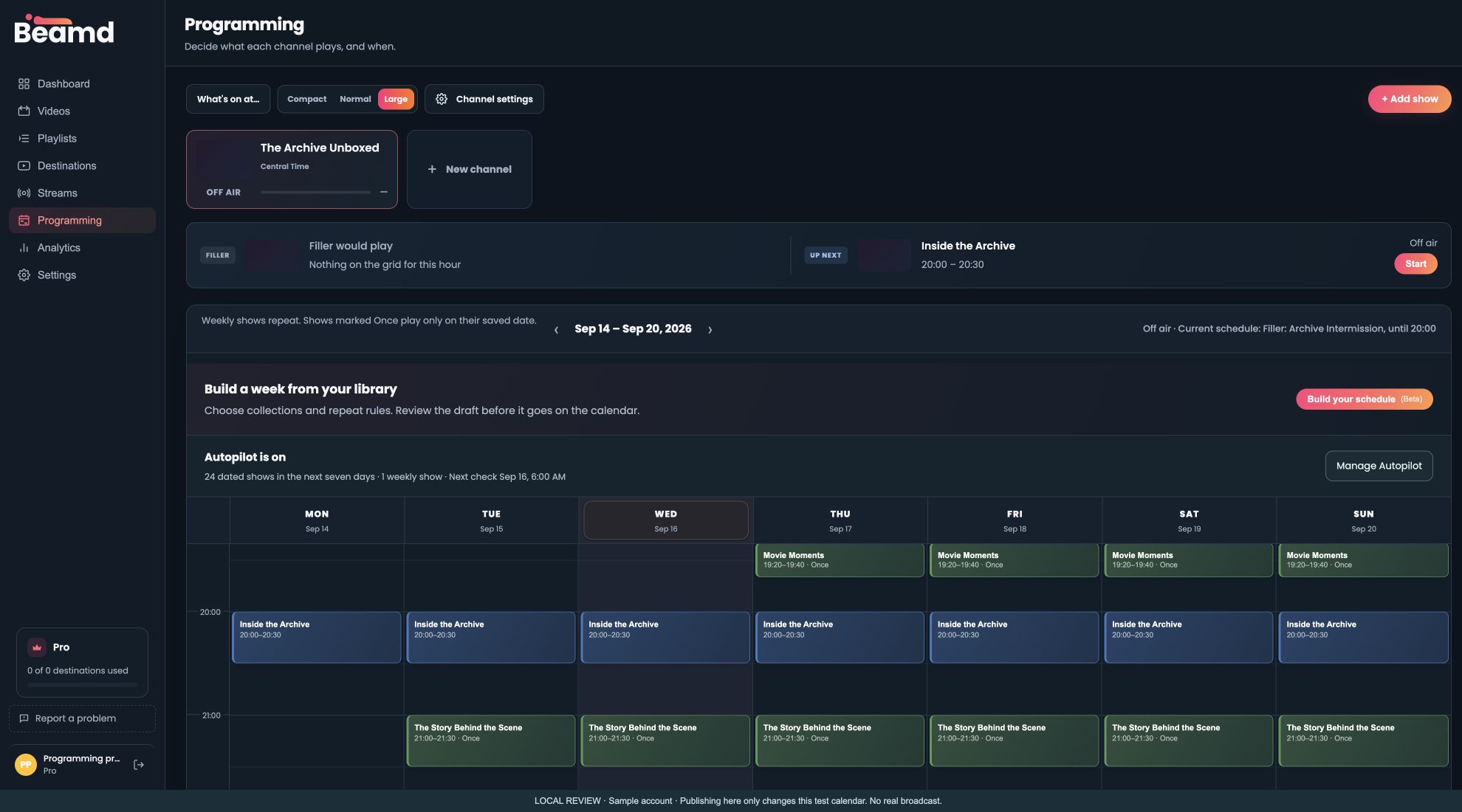
A playlist sets the running order. Programming gives it a place in the week. Bring back a regular show, make room for a one-off premiere, and use a filler playlist between scheduled shows.
Upload videos and organise them into playlists or collections. Use the library you already have.
Set the days and hours in your channel’s timezone. Build a repeating week or schedule a dated show.
Choose a destination and start your channel. Beamd runs the schedule from the cloud, even with your computer off.
SCHEDULE BUILDER BETA
Choose a collection, set your time slots, and build up to seven days at once.
Set repeat spacing and a preference for recent uploads. Review the draft before publishing. Existing shows stay in place.
Try the builder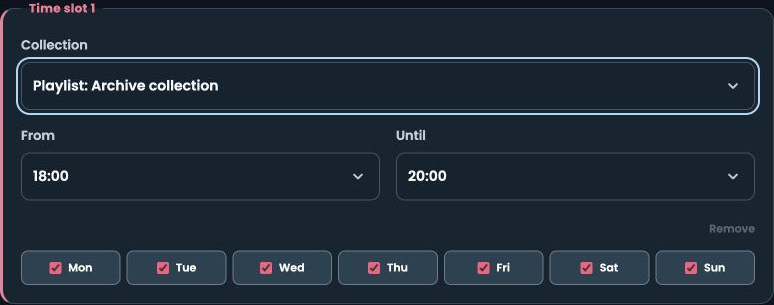
PLANS CHANGE. YOUR SCHEDULE CAN TOO.
Move an upcoming show or change what’s playing later. Your channel can keep broadcasting while you update its future schedule.
AUTOPILOT BETA
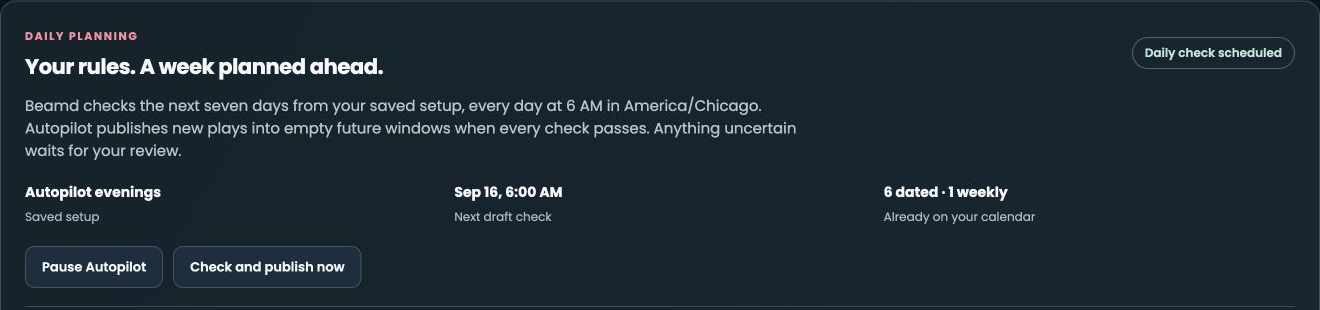
Save your setup for a daily check of the next seven days. Keep drafts for your review, or switch on Autopilot to publish complete, checked drafts into empty future slots.
Missing content or gaps? Those drafts wait for you. Shows you’ve already scheduled stay put.
ONE SCHEDULE. MORE PLACES TO WATCH.
Send your programmed channel to connected destinations, within your plan’s stream and destination limits.
Plus other RTMP-compatible platforms. You’ll need live-streaming access on each platform. Stream keys, account eligibility and broadcast limits vary.
How to connect a destinationA FEW GOOD QUESTIONS
Programming is included in the 72-hour free trial, Pro and Business. Starter and Creator include ordinary playlists and scheduled stream starts, but not the Programming calendar. Compare the plans.
Yes. Build your channel schedule in Beamd, connect an eligible YouTube channel, then start the broadcast. A filler playlist can cover spaces between shows. YouTube’s access requirements and broadcast limits still apply. Read the YouTube setup guide.
Programming makes transitions at video boundaries, so a scheduled time is not a frame-exact cut. Plan with your video lengths in mind, especially when timing a premiere.
Schedule Builder creates a draft from your content and time slots for you to review and publish. Daily planning can prepare fresh drafts using a saved setup. Optional Autopilot publishes only complete drafts that pass its checks into empty future slots. Both the builder and Autopilot are currently in Beta.
No. It manages future programming. You connect a destination and start the broadcast separately. Pausing Autopilot leaves already-published shows in place.
No. After you upload your content and start the broadcast, Beamd streams it from the cloud. You can return to the app to manage upcoming shows.
YOUR LIBRARY. YOUR CHANNEL.
72 hours. No credit card. Included with Pro and Business.